Beyond Blogging: How Builders Are Using Webflow CMS as a Full Product Backend
Most teams use Webflow CMS to manage blog posts and maybe a team page. It is clean, visual, and fast to set up. But a growing segment of builders, founders, and freelancers are doing something far more interesting: they are using Webflow CMS as a lightweight product backend.
Not for content. For actual features.
What "Product Backend" Actually Means Here
When developers talk about a backend, they mean the system that stores data, serves it on request, and enforces logic. Typically that means a database, an API layer, and authentication.
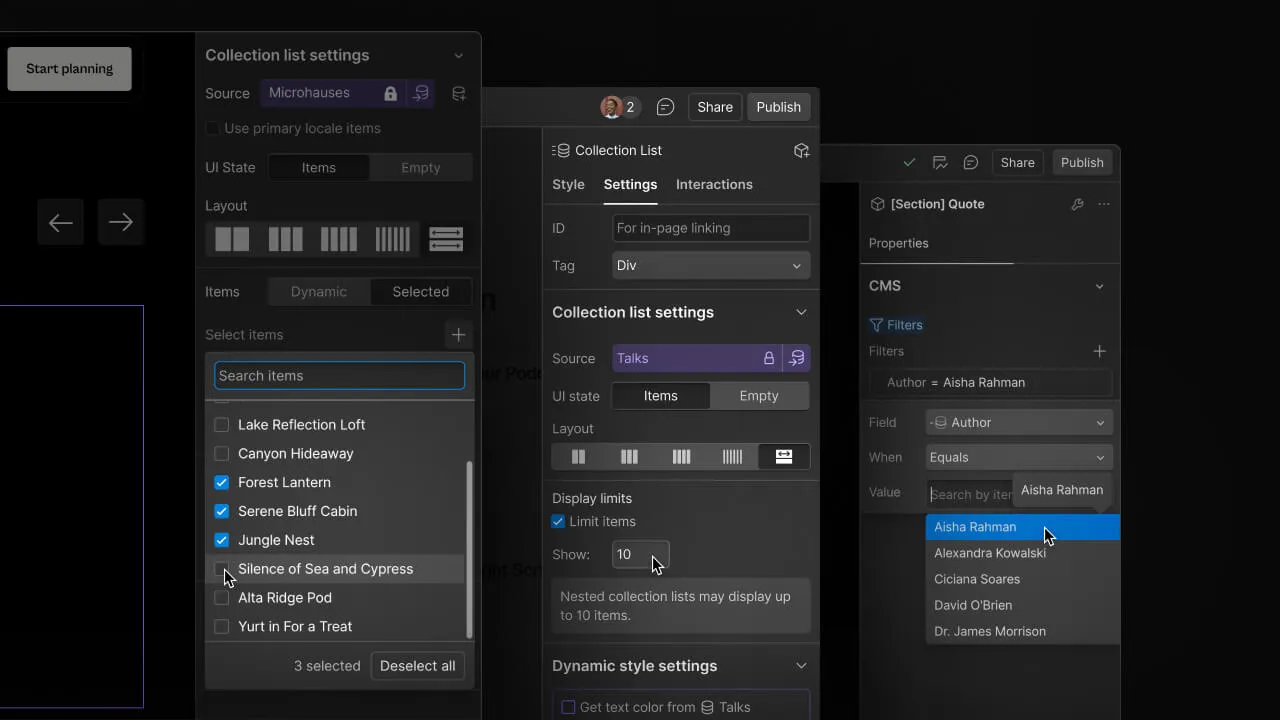
Webflow CMS gives you all three, loosely. You get:
- Structured data storage through Collections
- A public API to read and write items
- Conditional visibility and logic through native Webflow features
It is not a replacement for Supabase or Firebase. But for a specific category of products, it does not need to be.
The Use Cases That Are Working Right Now
1. Directories and Marketplaces
This is the most common one, and for good reason. A Webflow Collection maps perfectly to a listing database. Each item has fields, each field has validation, and the front-end renders dynamically from the collection.
Builders are launching:
- Freelancer directories (niche-specific, like "Webflow designers for SaaS companies")
- Tool directories and curated resource lists
- Resource marketplaces with searchable, filterable items
The submission workflow usually involves a Typeform or Tally form connected to Webflow via Make or Zapier. No custom backend required.
2. Job Boards
A Jobs collection with fields for role, company, location, salary range, and tags. Posts expire via a publish/archive date. Applications go through a form that triggers an email to the poster.
No custom code. No database migrations. No infrastructure to manage.
Several indie founders have launched job boards this way, charged for listings, and reached $2K-$5K MRR before ever writing a line of backend code.
3. Client Portals and Dashboards
This is where it gets creative. Using Webflow Memberships or third-party tools like Memberstack or Outseta, builders are creating gated views where clients see only their relevant CMS items.
A project management view. A content calendar. A deliverables tracker. All powered by CMS Collections with filtered visibility based on user identity.
4. Product Changelogs and Documentation
SaaS teams are using Webflow CMS to run their public changelog, feature request board, and documentation base, all without a separate tool or subdomain. The collection handles versioning, tags, and filtering natively.
How It Actually Works Technically
You do not need to understand backend architecture to make this work. The key insight is simple: treat each Collection as a database table.
- Fields = columns: Add the exact fields your use case needs. Webflow supports plain text, rich text, images, references, options, switches, dates, and more.
- Items = rows: Each CMS item is a record. You can have up to 10,000 items on a paid plan.
- API = your integration layer: The Webflow Data API lets you read and write items programmatically. Pair it with Make, Zapier, or n8n to handle automation.
- Dynamic pages = your frontend: Webflow renders a unique page for every CMS item automatically. No templating, no routing logic required.
For most no-code products, this architecture is more than enough to get to first revenue.
The Tradeoffs You Should Know
This approach is not for every product. Here is where it breaks down:
- Complex relational data: Webflow supports References (one-to-one and multi-reference), but it is not a relational database. Deep joins do not work.
- User-generated content at scale: If your users are creating content, you will hit rate limits and moderation challenges quickly.
- Real-time requirements: Webflow CMS is not built for real-time sync. If your product needs live updates, look elsewhere.
- Advanced auth and permissions: Memberships is improving, but it is not a full auth system. Complex role-based access requires third-party tools.
Know the ceiling before you build to it.
The Tool Stack That Pairs Well
If you are building on this model, these tools round out the stack effectively:
- Make or n8n for automating CMS writes from external sources (forms, webhooks, APIs)
- Memberstack or Outseta for user authentication and gated content
- Tally or Typeform for data intake without custom forms
- Finsweet CMS Filter for front-end filtering without custom code
- Loom or Notion for documenting your data model for clients or collaborators
None of these require a developer. The entire stack is buildable in a weekend.
Why This Matters for Builders
The most expensive part of building a product used to be the backend. Database setup, API design, deployment, maintenance: all of this had to happen before you could validate a single assumption.
Webflow CMS collapses that cost almost entirely. You can go from idea to live product in a weekend, test real user behavior, and decide whether to invest in a proper backend only after you have proven demand.
That is not a workaround. That is smart building.
The best no-code builders are not using Webflow because it is easier. They are using it because it removes the friction between thinking and shipping. And friction is exactly what kills most good ideas before they ever reach users.
Final Takeaway
If you have been treating Webflow CMS as a blogging tool, you are leaving a lot on the table. The architecture is flexible enough to power real product features, and the tooling ecosystem around it has matured enough to handle most production requirements.
Start small. Pick one feature. Map it to a Collection. See how far you get before you need something more.
You might be surprised how far that is.
Start Your Webflow Journey
Discover the power of Webflow and begin creating beautiful, responsive websites today. Click below to get started directly on Webflow’s platform.
You Might Also Like
Explore our recommended articles for more Webflow tips, tricks, and inspiration to enhance your design workflow.

%20(1).avif)