PandaDoc Review 2026: Best Document Automation and eSignature Platform
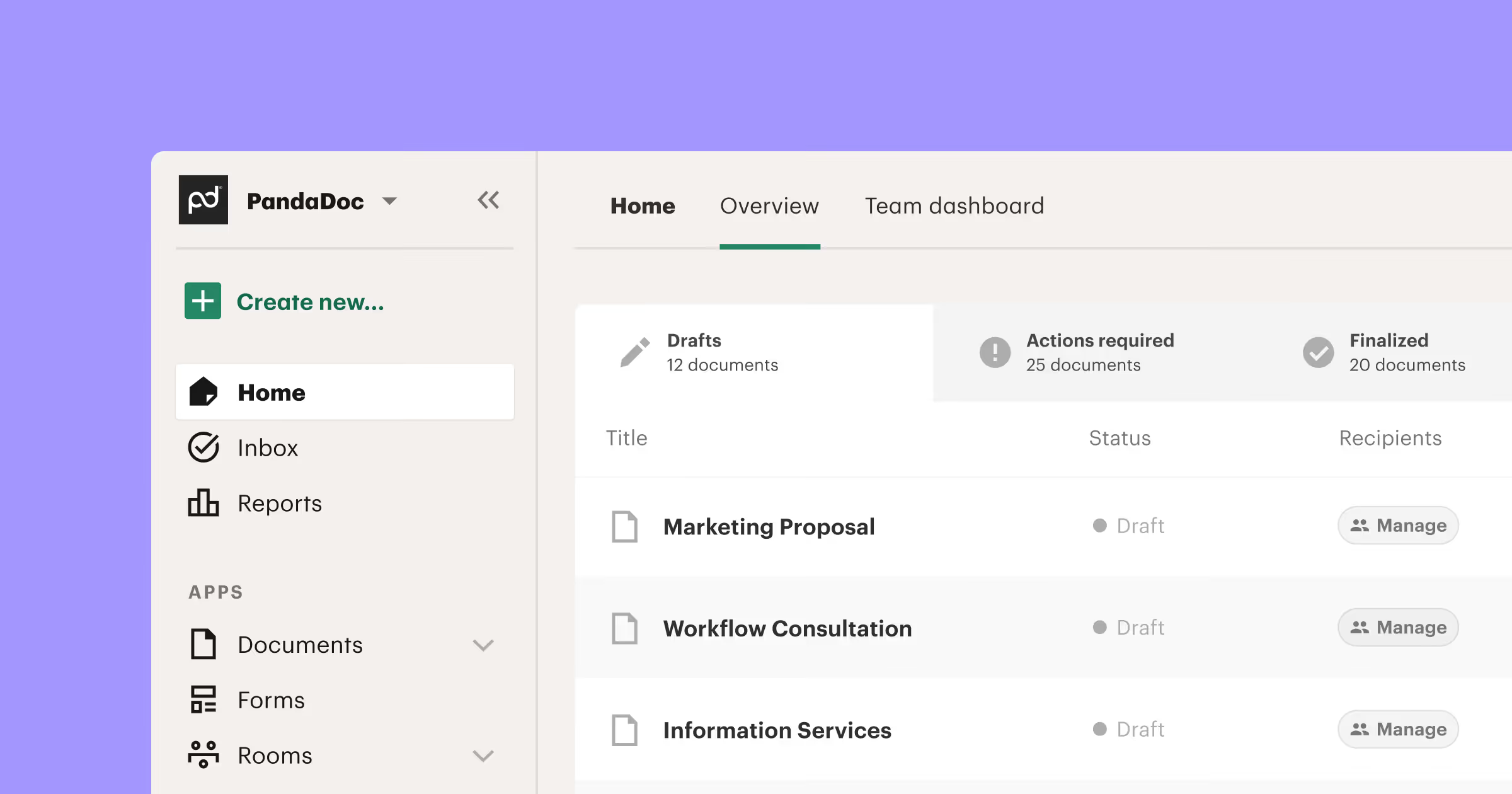
Business documents determine deal velocity and professionalism. Proposals, contracts, quotes, and agreements that look polished and move quickly through approval cycles win more business. PandaDoc specializes in streamlining document workflows from creation through signature and payment collection. This comprehensive review examines whether PandaDoc delivers meaningful improvements to document processes in 2026.
What Is PandaDoc
PandaDoc is a cloud-based document automation platform that helps businesses create, send, track, and sign proposals, contracts, quotes, and other business documents. Founded in 2013, PandaDoc serves over 50,000 customers globally across sales, marketing, HR, legal, and operations teams. The platform combines document creation, electronic signatures, payment collection, workflow automation, and analytics in one integrated solution.
Unlike generic document editors or standalone eSignature tools, PandaDoc focuses specifically on business documents that require collaboration, approval workflows, and signatures. The platform aims to eliminate the friction of creating professional documents from scratch, chasing signatures through endless email threads, and manually tracking document status. This specialization makes PandaDoc particularly valuable for teams sending high volumes of client-facing documents.
How Does PandaDoc Work
PandaDoc works through a straightforward workflow. First, you create documents using templates or the drag-and-drop editor. Second, you customize content with dynamic fields pulling data from your CRM or other systems. Third, you send documents to recipients via email or shareable links. Fourth, recipients view, comment, and sign documents in their browser without downloads. Fifth, you track document status in real-time seeing opens, time spent, and completion. Sixth, signed documents and collected payments sync to your business systems automatically.
Document Creation and Templates
PandaDoc provides a drag-and-drop document editor for building professional documents without design skills. Add text blocks, images, tables, pricing tables, videos, and signature fields by dragging elements into place. Format text, apply branding, and arrange layouts visually. The editor balances simplicity for quick documents with depth for sophisticated designs including multi-column layouts and custom styling.
Electronic Signature Functionality
Built-in eSignature meets legal requirements across most countries including the US ESIGN Act and EU eIDAS regulation. Recipients sign documents in their browser or mobile app without creating accounts or downloading software. The signing experience is clean and intuitive: click to sign, draw signature or upload image, add initials, and fill required fields.
CRM and Business System Integrations
PandaDoc integrates with popular CRMs including Salesforce, HubSpot, Pipedrive, Zoho CRM, and Microsoft Dynamics. Native integrations sync contacts, deals, and custom fields bidirectionally. Create documents from CRM records with data auto-populating. Completed documents attach to CRM records automatically. Document status updates in CRM so sales teams see everything in one system.
PandaDoc Pricing Structure
PandaDoc offers tiered pricing based on features and user count. Essentials plan starts at $19 per user monthly including unlimited documents, templates, eSignatures, and basic integrations. Business plan at $49 per user monthly adds approval workflows, content library, advanced integrations, and payment collection. Enterprise plan provides custom pricing with advanced security, dedicated support, and custom integrations. Free trials let teams test features before committing.
Getting Started with PandaDoc
Start with a free trial to explore features. Choose relevant templates from the library or upload existing document formats. Customize templates with your branding and standard content. Set up key integrations connecting to your CRM or accounting system. Create a test document and send it through the complete workflow including signature and payment if applicable.
Is PandaDoc Worth It in 2026
PandaDoc delivers strong value for businesses where document quality, speed, and tracking matter. The time savings from templates, automation, and integrated signatures typically justify costs for teams sending documents frequently. Organizations closing deals faster through streamlined proposal-to-signature workflows see clear ROI. The visibility into document performance helps teams optimize their approach based on real data.
Start Your Webflow Journey
Discover the power of Webflow and begin creating beautiful, responsive websites today. Click below to get started directly on Webflow’s platform.
You Might Also Like
Explore our recommended articles for more Webflow tips, tricks, and inspiration to enhance your design workflow.


.avif)
