Why Tools Like ClickUp Are Essential for Productivity and Teamwork
.avif)
In today’s fast-paced, digital workplace, having the right project management and collaboration tools is no longer a luxury—it’s a necessity. The shift toward digital-first work has made project management software “less of a nice-to-have and more of a business survival tool” . Yet, many teams still struggle along with email threads and spreadsheets: in fact, only 23% of organizations use dedicated project management software, meaning 77% rely on spreadsheets, emails, and paper notes . It’s no surprise that miscommunications and missed deadlines plague these teams. By contrast, those that adopt all-in-one work hubs report significantly improved transparency and collaboration .
Tools like ClickUp step in to address these challenges by providing a central platform for task management, project tracking, team communication, and documentation. Such a platform “tracks your workload, follows the chain of work, and acts as a filing system”, consolidating everything from tasks and deadlines to meeting notes in one place . The result? Less chaos, more clarity, and a big boost in team productivity and morale.
Unified Task Management and Project Tracking
A core benefit of tools like ClickUp is streamlined task management. Instead of juggling to-do lists in emails or scattered spreadsheets, all tasks live in one organized system. You can break down projects into tasks and subtasks, assign them to team members, set due dates and priorities, and track progress in real time . Team members always know who’s doing what and when, which keeps everyone aligned and accountable.
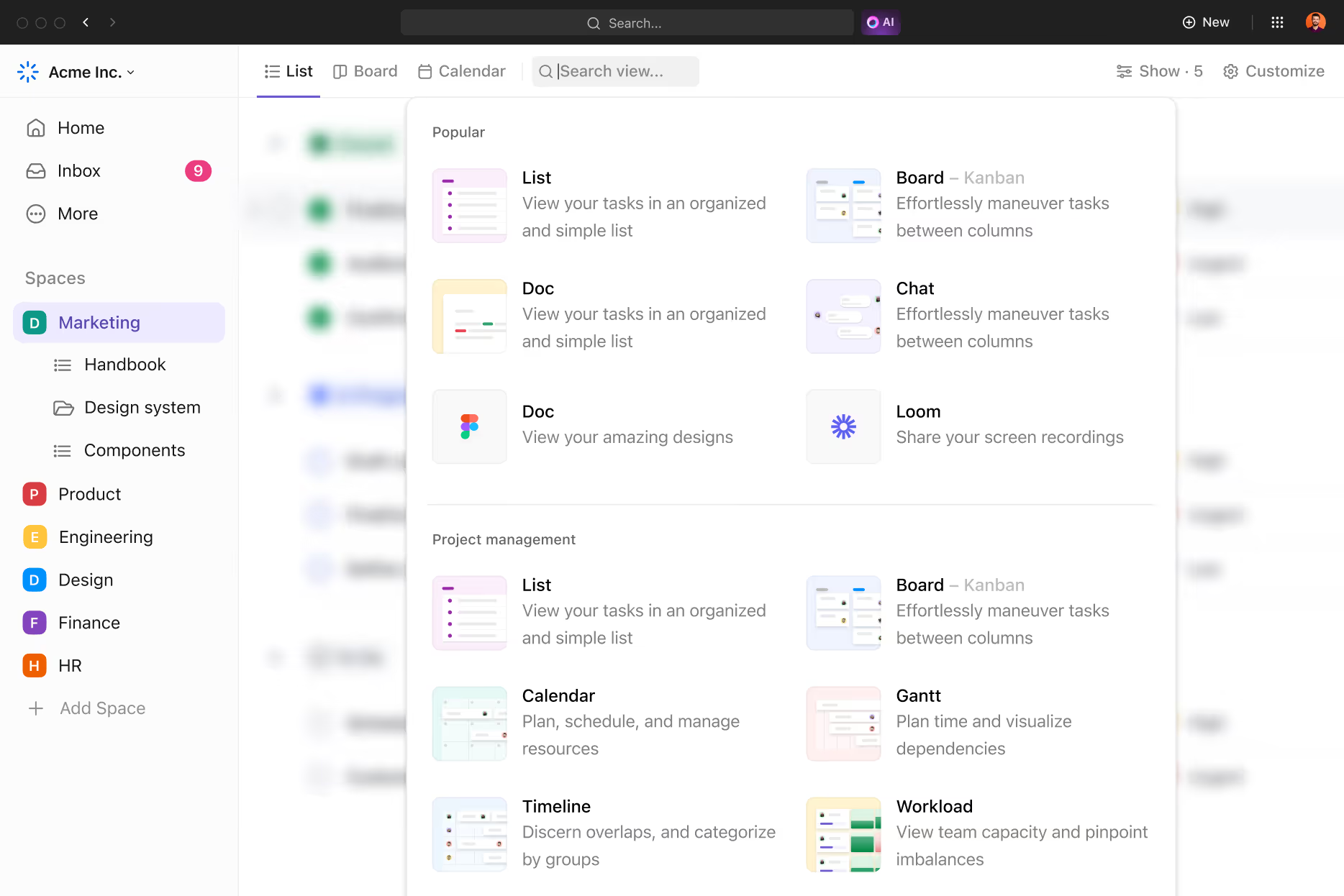
A sample task list view in ClickUp showing tasks with assignees, statuses, and due dates. This unified view ensures nothing falls through the cracks—every task’s status is transparent to the whole team. Managers can quickly see what’s in progress or overdue, and team members can self-manage their work against deadlines. The platform often provides multiple ways to visualize tasks: for example, you can switch between List views, Kanban boards, calendars, or Gantt charts to see your project from different angles . This flexibility means whether you’re a visual planner or a list lover, the tool adapts to your workflow.
Crucially, a good task management tool doesn’t just list tasks—it ties them into the bigger picture. Many platforms let you set milestones or goal trackers so you can monitor overall project progress. Everyone has a clear view of how individual tasks ladder up to project milestones or sprint goals. In short, unified task and project tracking features provide the single source of truth teams need to stay organized. As one reviewer put it, ClickUp “combines project management, document collaboration, time tracking, and communication in a single tool” —letting you manage all aspects of work without jumping between apps.
.avif)
Enhanced Collaboration and Centralized Communication
Beyond tracking tasks, productivity tools like ClickUp truly shine in enabling team collaboration. All team communication can happen directly within the context of the work. Instead of lengthy email chains or hunting through chat logs, colleagues discuss projects in threaded comments or built-in chat right alongside the tasks in question. Team members can talk directly on tasks, which helps reduce emails and meetings . Questions, feedback, and updates stay attached to the relevant task or project, so nothing gets lost and everyone stays on the same page.
Integrated collaboration features also cut down on app overload. There’s no need to constantly switch between your email, Slack, a file drive, and a task list to get work done. Everything is in one place. In fact, centralizing work on one platform *“removes silos and creates a more cohesive work environment,” allowing teams to access information, track progress, and collaborate in real time without hopping between tools . Modern platforms often integrate with popular apps you already use (Google Drive, Slack, Zoom, etc.), but the day-to-day discussions and updates can happen within the project tool itself . This means fewer scattered notifications and far less clutter in your inbox.
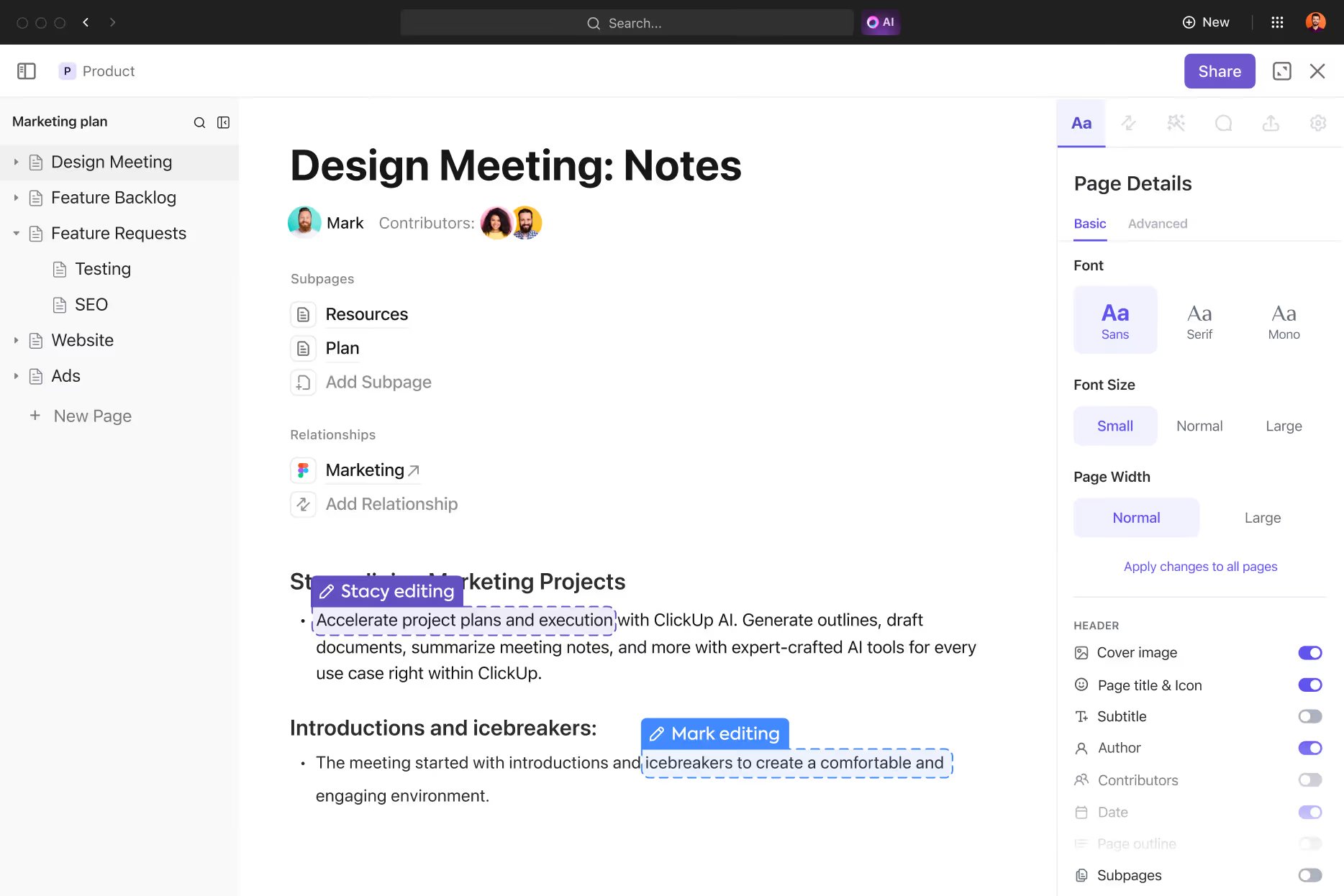
Collaboration isn’t limited to text chat, either. Tools like ClickUp include built-in document collaboration and knowledge sharing. Rather than emailing around Word docs or spreadsheets, teams can create pages or wikis for things like project briefs, meeting notes, or requirements and edit them together in real time. For example, ClickUp offers collaborative Docs where a team can co-author a document (a report, proposal, content piece, etc.) simultaneously. These docs can be linked to tasks, ensuring that important information remains accessible and organized right where the work is happening . Everyone always has the latest version, and you avoid the headache of digging through attachments for that “final_final2.docx” file.
All of these features foster a culture of transparency and quick feedback. With @mentions, comment threads, and shared documents, decisions get made faster and with full context, compared to asynchronous email threads. OneTask’s team observed that ClickUp “fosters team collaboration through shared tasks, comments, and document editing features,” enabling teams to communicate and make decisions quickly all in one place . In practical terms, that might mean a designer attaches a draft image to a task, the marketing lead leaves feedback in a comment, and the revision is done within the day – no meetings or long emails required. The upshot is a more engaged team and a lot less time wasted on back-and-forth coordination.
Managing Remote Teams with a Single Workspace
One of the biggest reasons these all-in-one tools have become essential is the rise of remote and distributed teams. When your team isn’t in the same physical office, a centralized online workspace is critical to keep everyone connected. Remote work offers flexibility and access to global talent, but it also introduces challenges in communication, coordination and trust. Without the right platform, teams can struggle to stay aligned, manage tasks efficiently, and keep up with project deadlines .
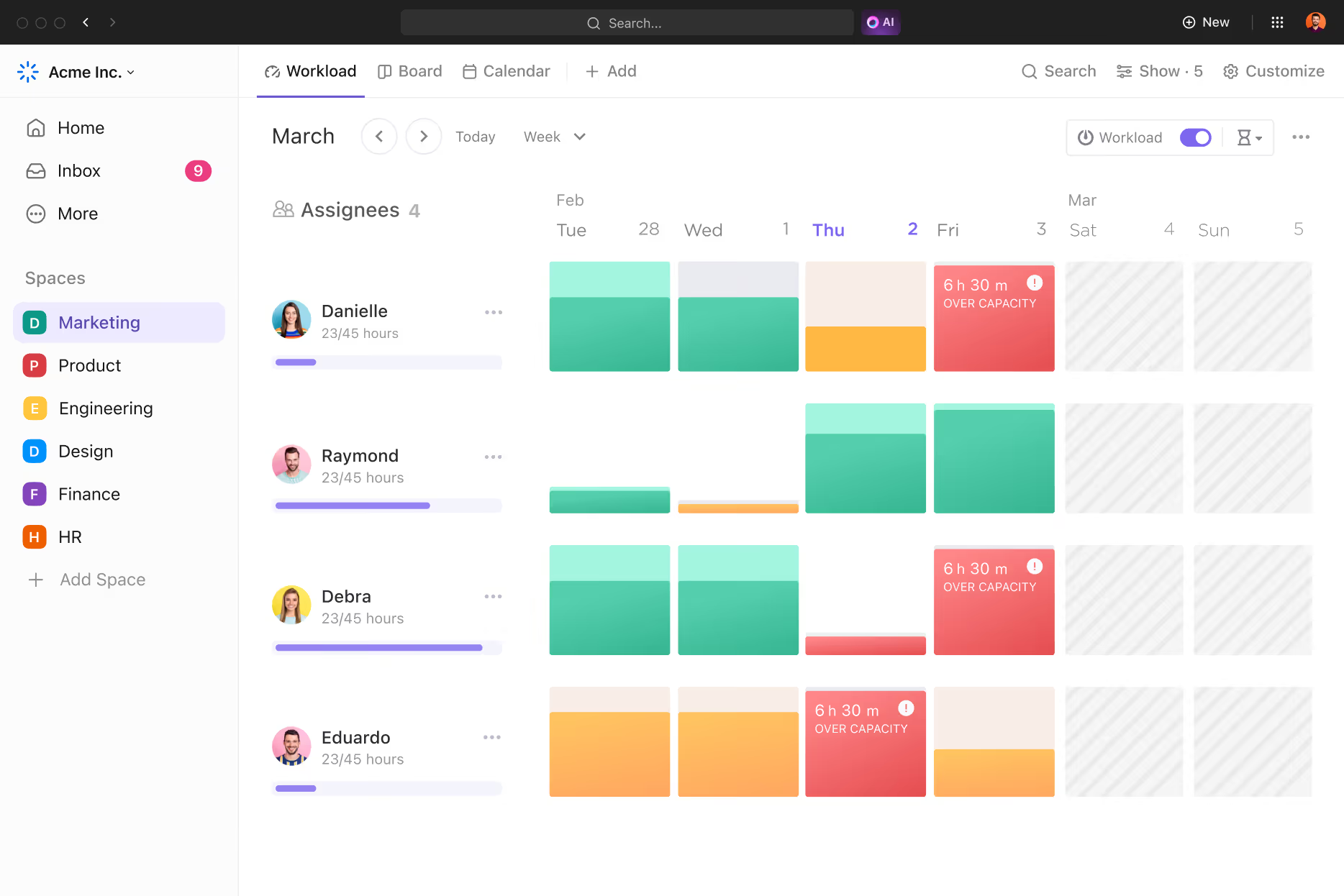
This is where a tool like ClickUp becomes a game-changer for remote teamwork. It is specifically designed to bring remote teams together in a single, organized workspace . All tasks, conversations, files, and updates are visible to the team regardless of time zone. A manager in New York can assign tasks at the end of their day, and a developer in London can see those assignments when they start their morning. The software provides a structured approach to handling work that reduces miscommunication and improves transparency for everyone involved .
Remote team members don’t have to wonder, “What’s the status of X project?” or “Who’s handling Y task?” — they can simply check the shared dashboard or task board. Real-time notifications and @mentions alert the right people when something needs their attention, replacing the need for constant status-update emails. Moreover, many tools support asynchronous communication: team members can leave updates or comments that others will see when they log in, which is crucial when working across different schedules.
By using an all-in-one platform, remote teams essentially recreate the awareness and collaboration of an office environment, virtually. Everyone has equal visibility, which helps build trust. As a result, the team can maintain efficiency and cohesion “no matter where they are,” operating as smoothly as if they were in the same room . Especially for companies that have permanently embraced remote or hybrid work, such tools are indispensable for keeping productivity on track.
Organizing Sprints and Content Calendars
Another advantage of modern work management tools is their versatility – they support a variety of workflows, from software development sprints to marketing content schedules. Agile teams, for example, can run their sprints inside tools like ClickUp, which offer Sprint or Kanban board features. You can maintain a backlog of user stories or tasks, drag them into a Sprint board, and track progress through each stage (To Do, Doing, Done, etc.). With a digital board, grouping project activities by status in a Kanban-style view ensures everybody is aware of progress and bottlenecks at a glance . Team members can update their task status as they move through the sprint, and the whole team sees it instantly. This real-time visibility makes daily stand-ups shorter and more focused, since the board tells much of the story. It also highlights blockers quickly—if a task is stuck in “In Review” for too long, everyone can see it and someone can jump in to resolve the issue. By the end of the sprint, generating reports or reviewing what got done is easy because the tool has been tracking everything throughout.
On the other side of the organization, marketing and content teams use these tools to plan and schedule their content calendars. Rather than a static spreadsheet or a whiteboard calendar, a platform like ClickUp provides dynamic calendars and timelines for content production. For instance, you can create tasks for each blog post, video, or social media campaign, set their publish dates, and assign writers/designers to them. Using a content calendar view, the marketing team gets a clear picture of what content is planned for the weeks ahead and who is responsible for each piece. Deadlines won’t sneak up on anyone because the system sends reminders and you can see due dates approaching on the calendar. One copywriting agency noted that managing their editorial calendar in ClickUp kept everything “in line and on the move,” whereas traditionally it would require a lot of manual tracking and follow-up . In other words, the tool automates much of the coordination that would otherwise eat up time.
An example of a content calendar managed in ClickUp, where each card represents a content piece scheduled for publication. Using such a system, a content marketing team can easily shuffle schedules, update statuses (e.g., “Drafting”, “In Review”, “Scheduled”), and ensure each piece goes out on time. It also centralizes all the related materials—attachments like images or draft documents, outlines, and comments from editors—all linked to the content task itself. This beats digging through email threads to find the latest draft or losing track of approvals.
Whether it’s sprint planning for a software release or coordinating a month’s worth of blog posts, these tools adapt to the workflow. Many platforms offer templates or customizable statuses to fit your process (Scrum points, editorial stages, etc.), making them useful across departments. The common theme is better organization and visibility: everyone involved knows the plan, their part in it, and the current status of every item. This level of organization not only saves time but also reduces stress—teams can focus on executing the work rather than managing spreadsheets or sending status updates.
Conclusion: A More Productive, Connected Team
In summary, adopting an all-in-one work platform like ClickUp can transform the way your team works. It brings order to chaos by consolidating task management, project tracking, communication, and documents into one hub. Instead of fragmented tools and scattered information, you get a single source of truth for your projects. The benefits are tangible: less time spent searching for information, fewer emails and meetings, more accountability, and ultimately a boost in productivity and team morale. Collaboration becomes easier when everyone is literally on the same page (or screen), and projects stay on track when progress is visible in real time.
If your team is struggling with overload or things slipping through the cracks, it might be time to give a platform like ClickUp a try. The good news is that these tools are more accessible than ever—many offer free versions to get started and see the impact firsthand. Ready to centralize your workflow and supercharge your team’s productivity? You can sign up for ClickUp and start exploring its features for free. By equipping your team with a robust productivity tool, you’re not just adopting new software—you’re creating a foundation for better teamwork, clearer communication, and sustained success in all your projects.
Start Your Webflow Journey
Discover the power of Webflow and begin creating beautiful, responsive websites today. Click below to get started directly on Webflow’s platform.
You Might Also Like
Explore our recommended articles for more Webflow tips, tricks, and inspiration to enhance your design workflow.

.avif)