New Webflow Analyze Update Improves Audience and Engagement Insights
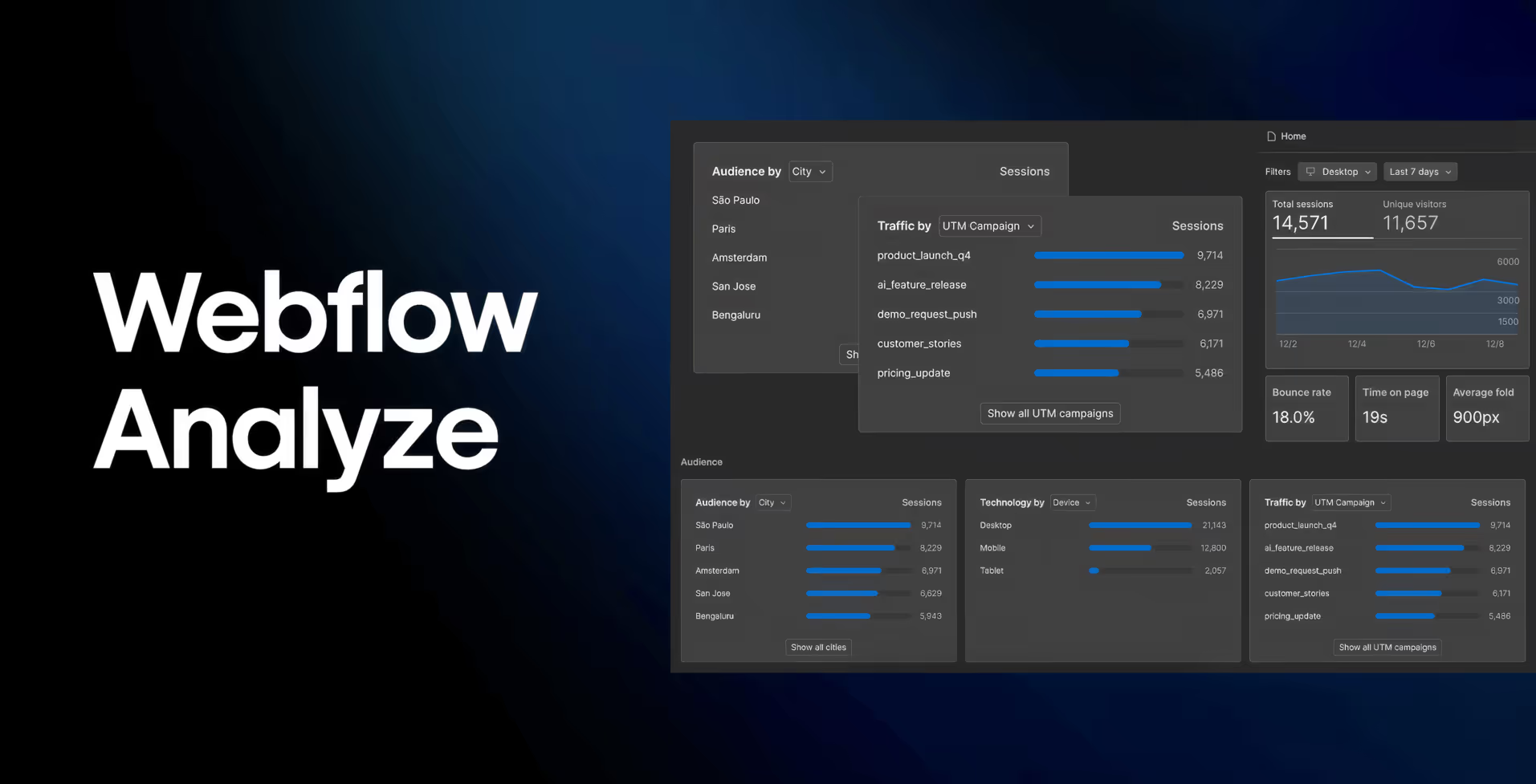
Webflow has released a new update for Webflow Analyze that makes it much easier to understand who your visitors are, where they come from, and how they interact with your content.
With the introduction of Audience Reporting and Time on Page analytics, Webflow Analyze provides marketers, designers, and site builders with clearer insights into visitor behavior without requiring additional setup or complex tracking tools.
Know Your Audience with Audience Reporting
Understanding your audience is essential for building better websites and more effective marketing strategies. The new audience reporting charts in Webflow Analyze allow you to break down your traffic using the metrics that matter most.
You can now analyze your visitors based on:
- Traffic sources and channels
- UTM parameters and referral domains
- Country, city, and language
- Device type
- New and returning visitors
These insights are available directly in the Site Overview and Page Details sections. This makes it easy to answer important questions such as:
- Which channels bring the most visitors?
- Is your latest campaign generating more traffic?
- Which regions engage with your site the most?
No extra tagging or manual setup is required. All data is captured automatically and anonymously by Webflow Analyze.
Measure Engagement with Time on Page and Time on Site Analytics
Page views and clicks do not tell the full story. It is equally important to understand whether visitors are actually spending time consuming your content.
With Time on Page and Time on Site analytics, you can:
- See how long visitors actively spend on each page
- Understand how long users stay on your site overall
- Identify high performing content and low engagement pages
- Validate design, content, or marketing changes using real data
These metrics help you focus on meaningful engagement rather than surface level numbers.
Turn Insights into Action
By combining acquisition data with engagement metrics, Webflow Analyze helps you move from insight to action more quickly.
Whether you are optimizing landing pages, improving content strategy, or refining user experience, these analytics tools support confident, data driven decisions directly inside Webflow.
Available Now in Webflow Analyze
Audience reporting and time on page analytics are now live for all Webflow Analyze customers.
If you want to better understand your visitors and create more engaging websites, this update is a strong reason to start using Webflow Analyze today.
Learn more: https://try.webflow.com/audience-reporting-and-time-on-page
Start Your Webflow Journey
Discover the power of Webflow and begin creating beautiful, responsive websites today. Click below to get started directly on Webflow’s platform.
You Might Also Like
Explore our recommended articles for more Webflow tips, tricks, and inspiration to enhance your design workflow.