Best Webflow Plugins and Extensions 2026: Essential Tools for Designers

Webflow's native features provide powerful design and CMS capabilities but plugins and extensions unlock advanced functionality. Third-party apps add features like advanced filtering, memberships, dynamic content, animations, forms, and integrations extending Webflow beyond its core capabilities. This guide examines the essential plugins and extensions every Webflow designer should know in 2026.
What Are Webflow Plugins and Extensions
Webflow plugins are third-party tools integrating with Webflow sites adding functionality beyond native features. These include Chrome extensions enhancing the Designer interface, embeddable JavaScript libraries adding client-side features, backend services connecting via API, and no-code tools like Memberstack or Jetboost requiring minimal technical knowledge. The Webflow App Marketplace centralizes discovery though many powerful tools exist outside official channels.
Finsweet Chrome Extension
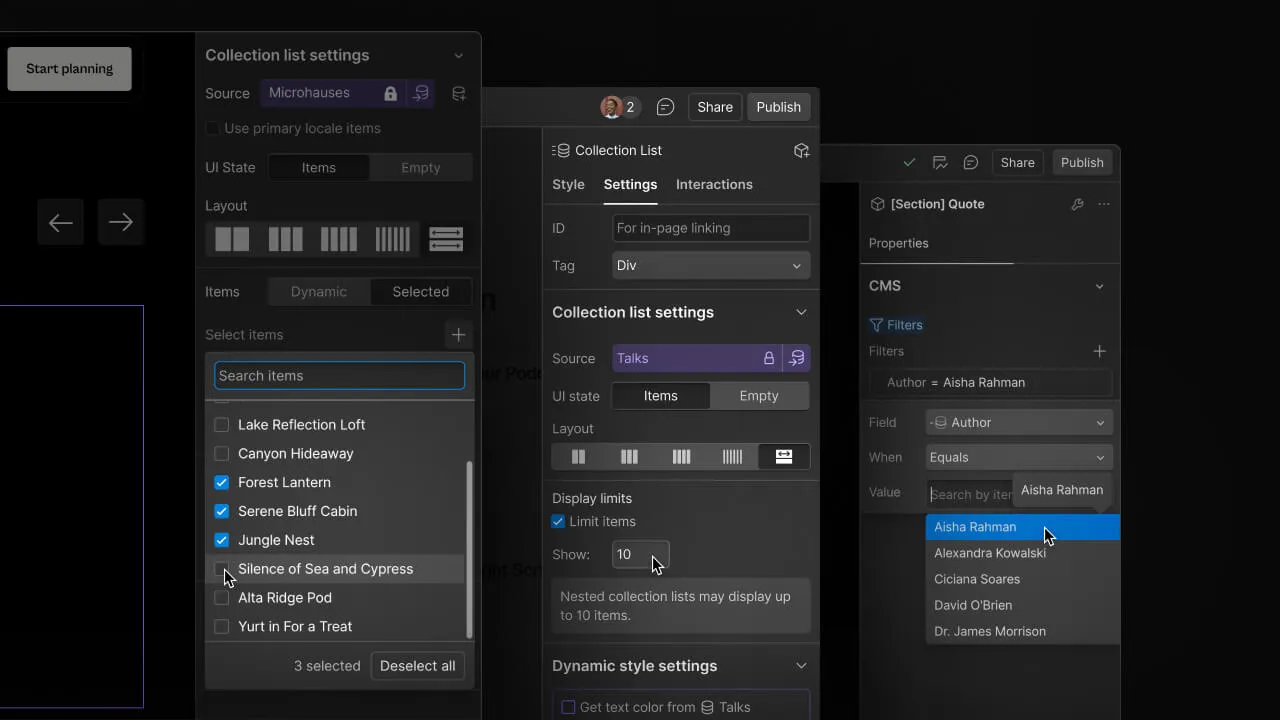
Finsweet Chrome Extension is essential tool for Webflow designers. It adds CMS Nest for nesting collection lists, CMS Filter for client-side filtering and sorting, CMS Load for pagination and lazy loading, CMS Combine for merging multiple collections, and CMS Sort for custom sorting logic. The free extension installs instantly transforming CMS capabilities. Finsweet tools solve common CMS limitations elegantly without custom code.
Memberstack for Memberships
Memberstack adds complete membership functionality to Webflow including user authentication, gated content, member profiles, subscription billing, and member directories. The no-code solution requires adding JavaScript snippet and configuring membership tiers. Plans start at $25 monthly supporting serious membership sites. Memberstack powers communities, course platforms, premium content sites, and SaaS applications built on Webflow without backend development.
Jetboost for Advanced Filtering
Jetboost provides real-time search, filtering, sorting, and pagination for CMS collections. The visual interface requires no coding creating sophisticated filtering experiences. Faceted search, range sliders, multi-select filters, and custom sort options enhance collection pages. Free plan supports basic features while paid plans starting at $19 monthly unlock advanced capabilities. Jetboost particularly benefits product catalogs, directories, and resource libraries needing powerful search.
Wized for Dynamic Content
Wized connects Webflow to any API enabling dynamic data from external sources like Airtable, Google Sheets, or custom databases. Build complex applications displaying real-time data, user-specific content, and database-driven experiences. The visual interface maps API responses to Webflow elements without backend coding. Pricing starts at $29 monthly for small projects scaling to enterprise plans. Wized bridges Webflow's static nature with dynamic application needs.
Spline for 3D Elements
Spline creates interactive 3D elements embedding directly in Webflow. Design 3D scenes, animations, and interactive objects in Spline then export to Webflow with single embed code. The combination creates immersive web experiences impossible with native Webflow. Free Spline plan supports basic 3D while Webflow hosting handles the embedded content. 3D product showcases, hero sections, and interactive storytelling benefit from Spline integration.
Webflow Analyzer by Flowbase
Webflow Analyzer Chrome extension audits site performance, SEO, accessibility, and code quality. Identify unused styles, oversized images, missing alt tags, and optimization opportunities. The free tool provides instant analysis within Designer helping maintain clean, performant sites. Regular audits with Analyzer prevent technical debt accumulation as projects grow.
Make and Zapier for Automation
Make (formerly Integromat) and Zapier connect Webflow to thousands of apps enabling automation workflows. Sync form submissions to CRM, trigger emails on CMS updates, populate Webflow from external databases, and automate content publishing. Make offers more complex automation logic while Zapier provides simpler setup. Both services offer free tiers with paid plans scaling by automation volume. Automation eliminates manual data transfer between systems.
Lumos for Advanced Animations
Lumos adds scroll-based animations and micro-interactions beyond Webflow's native interactions. Create parallax effects, scroll-triggered animations, and complex motion sequences with visual timeline editor. The library loads lightweight maintaining performance. Free plan supports basic animations while premium unlocks advanced features. Lumos helps designers create motion-rich experiences without After Effects or custom JavaScript.
Formstack for Advanced Forms
Formstack provides enterprise-grade forms with conditional logic, multi-page forms, payment processing, and workflow automation. While Webflow's native forms handle basics, Formstack supports complex requirements like HIPAA compliance, advanced validation, and workflow routing. Plans start at $50 monthly for professional form needs. Medical practices, financial services, and enterprises requiring compliant forms benefit from Formstack integration.
Flowbase Assets and Resources
Flowbase offers Webflow components, cloneables, UI kits, and templates accelerating development. The Chrome extension provides component library accessible within Designer. Free resources include common components while premium membership unlocks entire library. Flowbase saves hours recreating common patterns like testimonials, pricing tables, and navigation menus with production-ready components.
Getting Started
Start by identifying your specific needs: memberships, advanced CMS, animations, forms, or integrations. Install relevant Chrome extensions first as they're free and immediately useful. Test plugins on staging sites before production deployment. Read documentation thoroughly understanding limitations and best practices. Most plugins offer free trials or plans allowing experimentation before paid commitments.
Essential Plugin Stack 2026
Every Webflow designer should have Finsweet Chrome Extension for CMS capabilities, Webflow Analyzer for site auditing, and Make or Zapier for automation. Add Memberstack if building membership sites, Jetboost for advanced filtering, and Wized for dynamic applications. This core stack handles 90% of extended functionality needs. Specialized tools like Spline, Lumos, or Formstack add as projects require specific features beyond fundamentals.
Start Your Webflow Journey
Discover the power of Webflow and begin creating beautiful, responsive websites today. Click below to get started directly on Webflow’s platform.
You Might Also Like
Explore our recommended articles for more Webflow tips, tricks, and inspiration to enhance your design workflow.

.avif)
